
Feature lists all look the same; the input does not
Put three retail scheduling products side by side and the feature grids are nearly identical: shift templates, availability, swaps, mobile approvals, labor-law rules, payroll export. Buyers duly score those columns and then discover, a year in, that the schedules are no better than the spreadsheets they replaced. The reason is that the differentiating question is not on the feature grid: what does the tool build the plan *against*?
What should you look for in retail scheduling software?
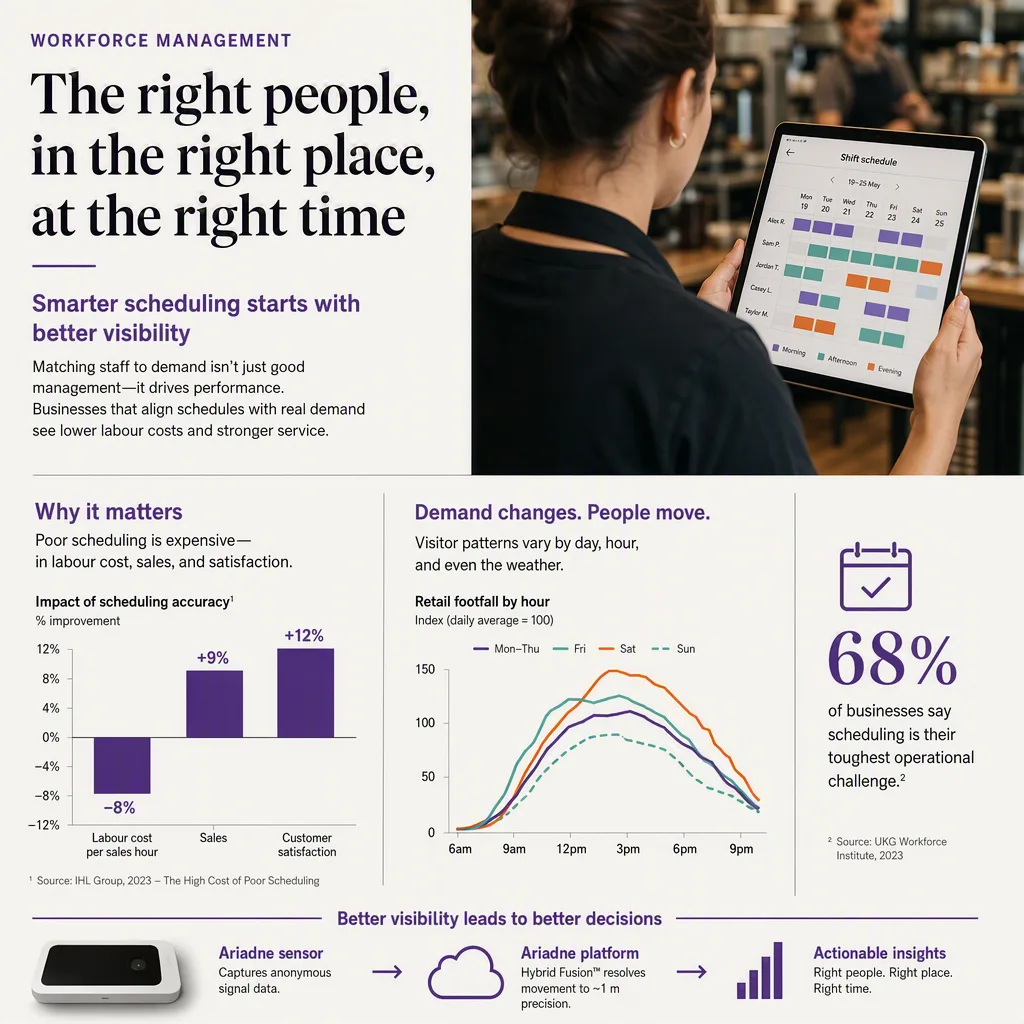
Start with the demand input, because it constrains everything downstream. Most schedulers plan against historical POS, which records who bought, not who visited, so a store that lost customers to a queue looks like a store with low demand and gets scheduled thinner. Tools that plan against measured visitor traffic see the demand that POS cannot. After that axis, six practical checks decide the purchase: forecast granularity, rule compliance, change handling, integration reach, adoption friction for managers, and whether the tool reports back on how well labor actually matched demand.
The axis that matters: POS versus measured demand
A POS-driven forecast is a record of conversions. If Saturday 11am was understaffed and half the arrivals left without buying, POS reports modest sales, the model reads modest demand, and next Saturday gets the same thin roster. The error is self-reinforcing and invisible to the tool. Visitor measurement breaks the loop by counting arrivals independently of transactions, which is the argument set out in full on the employee scheduling solution page and in the playbook at demand-based scheduling in retail. If you take one thing from this guide: ask every vendor what their forecast consumes, and treat "POS plus manager judgement" as the answer it is.
Six checks that survive a demo
- Forecast granularity. Daily totals cannot schedule a shift. You need labor demand by hour, and in larger formats by zone, which is what makes coverage decisions possible rather than aspirational: the 4-hour traffic forecast.
- Rule compliance. Predictable-scheduling laws, rest periods, minor rules, and union agreements differ by jurisdiction and change; a tool that treats them as configuration you maintain is handing you the risk. See predictive scheduling laws.
- Change handling. Real weeks involve sickness, no-shows, and swaps. Ask to see a mid-week disruption handled live, not a clean published roster: shift swap automation.
- Integration reach. Payroll, POS, and the demand source have to connect without a weekly export ritual: WFM integration APIs and the wider integration requirements checklist.
- Manager adoption. The best forecast loses to a store manager who overrides it every week. Ask how the tool explains its recommendation, because unexplained numbers get ignored.
- Feedback on allocation. Did the hours you scheduled actually land where the demand was? Tools that cannot answer this leave you unable to improve: the measures are in labor-to-traffic ratio and staff-to-customer ratio.
Build, buy, or add a signal to what you run
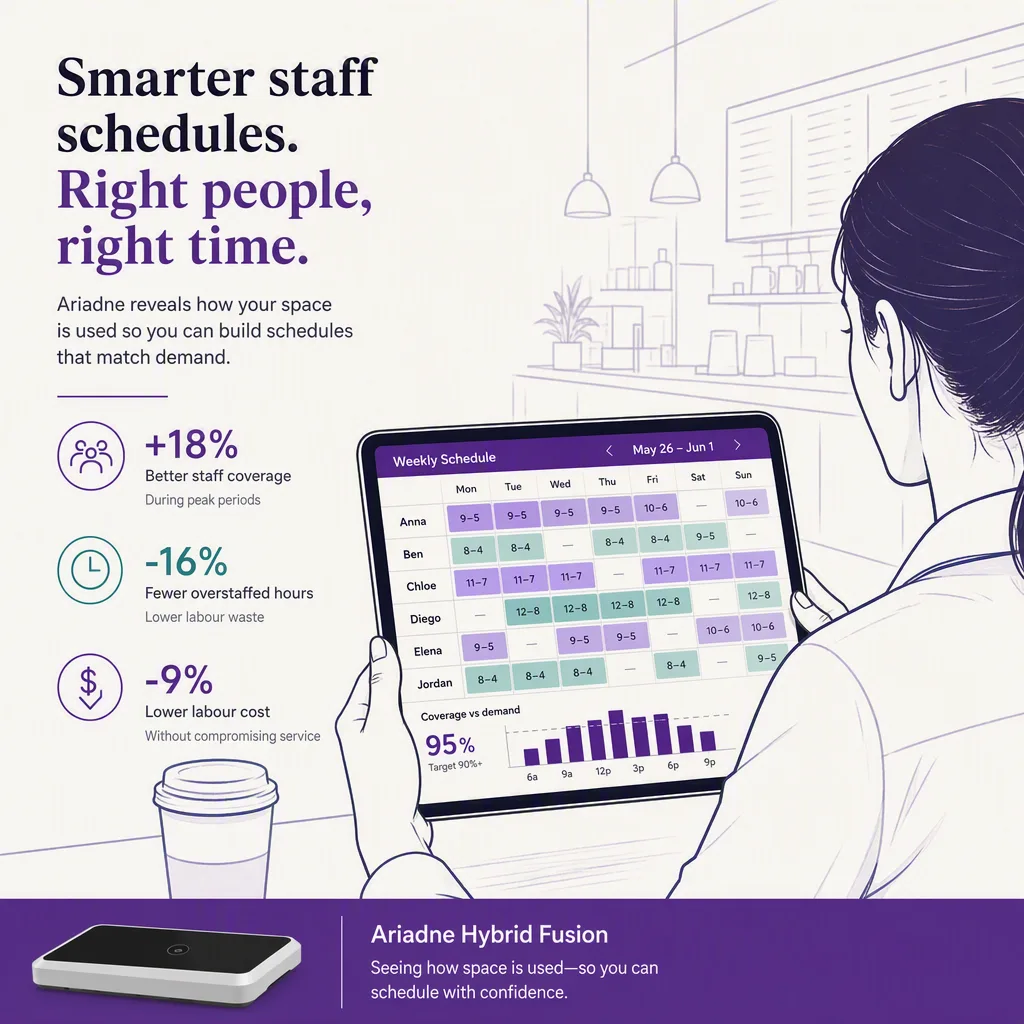
Three viable shapes, and the honest recommendation depends on where you already are. If you have no scheduling tool, buy one, because rostering, compliance, and payroll export are solved problems not worth building. If you have a WFM suite that your team knows and payroll depends on, do not replace it: add a better demand input to it, which is the cheapest material improvement available in this category. If you are replacing anyway, make the demand input a scored criterion rather than an afterthought. Ariadne supports both routes: it ships Employees Planner for teams that want scheduling built on the demand signal directly, and it exports labor demand by hour and zone into an existing WFM for teams that do not want to switch.

What it is worth
The payback case is not exotic: move hours from measured quiet periods into measured peaks without increasing total hours, then read conversion during those peaks. The arithmetic is in scheduling ROI from footfall and the retail labor cost benchmark, and the same lever appears first in how to increase retail conversion because it is the most reliable one available. In airports the same mechanism runs against flight banks rather than shopping curves, where Glasgow Airport reduced complaints 23%.
Where to start
Measure demand before buying a scheduler, or the new tool inherits the old blind spot. A door count with hourly granularity is enough to begin, and the pilot-to-contract playbook covers proving it on your own sites first. Where your organization sits today, and what the next step actually is, is laid out in the scheduling maturity model.
---


